
Instrumentation & Valves
Precision Digital Process Meters & Indicators
Precision Digital process meters make transmitter signals visible to operators and usable for monitoring or control. Fluid Flow can help match the display, input signal and output functions to the process variable and installation.

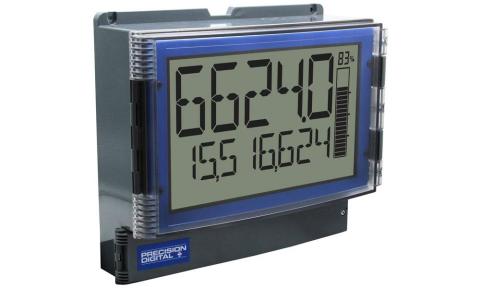
Explore Precision Digital products
Choose the input and display first, then the outputs needed by the operator or control system.
Digital process and pressure displays
Show a transmitter signal in the engineering units operators use. A process display depends on an external sensor or transmitter for the measured variable.
- Match the input signal and scaling.
- Select a readable display for the viewing distance.
- Review panel cutout, mounting and enclosure.
Loop-powered indicators
Add a local indication to a suitable current loop without a separate meter power supply. Review the voltage available in the complete loop.
- Confirm a compatible 4–20 mA circuit.
- Check meter voltage drop against the loop budget.
- Select display and environmental requirements.
Process monitoring and control functions
Use the appropriate meter configuration for relays, retransmission or rate and total display. Features vary by product family and option.
- Define alarm points and relay behavior.
- Specify analog output or communication needs.
- Distinguish a process value from rate or accumulated total.
Start with your operating requirements.
Identify the signal
Provide current, voltage or other transmitter output, its engineering-unit range and the variable being displayed. Include power-supply and isolation details.
Describe operator use
State viewing distance, lighting, panel or field mounting, and whether the operator needs a value, alarm status, rate or total.
Plan the output functions
List required relays, retransmission and communications. Check the selected model rather than assuming every display includes the same options.
Frequently asked questions
A process indicator generally reads a signal from a separate pressure sensor or transmitter. Match the input and scaling to that device so the displayed value represents the correct pressure range.
It can add local indication where a compatible current loop is already present. The available loop voltage must support the transmitter, indicator, wiring and receiving equipment.
Selected Precision Digital meters include relay and other output options. Specify the number of alarms, required behavior and receiving equipment before choosing the configuration.
Contact your local Fluid Flow team to confirm product availability and options for your facility.
Find the right solution for your application.
Share your operating requirements, current equipment and facility location.